Guide chapters
On this page4
Textures / CREATIVE DIRECTION
Full-area texture
Surface detail fills the image, so the main content and ground become one.
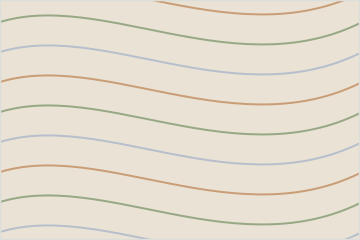
HOW TO RECOGNIZE IT
What defines this direction
Full coverage does not imply seamless tiling. Do not simultaneously require a different complete background to remain visibly behind an opaque full-area texture.
← Back to TexturesAI DIRECTIONS
Take this direction into AI
Use with an image, or ask AI to rewrite your image prompt in this direction.
- Target direction
- Textures → Composition → Full-area texture
- Input and output
- If given an image, adapt the image to this direction. If given a prompt, rewrite it as a complete prompt ready for image generation.
- Target structure
- Extend the chosen texture across the entire image. Keep material scale, palette and density coherent through the edges without leaving a separate visible backing area.
- Background
- Translate relevant color or material cues from the original backing into the main texture itself. Create related full-area surface detail if no backing exists; content and ground merge in this direction rather than leaving a separate complete background visible.
- Wording
- Keep clearly readable source wording and its language, adapting its presentation. Do not claim to have recovered unreadable text. If no words are supplied, create a brief related phrase as supporting copy without obscuring key subjects, action or structure. Follow the target hierarchy for existing wording and respect an explicit request for no text.
- Preserve and adapt
- Retain relevant material, surface, palette and atmosphere without requiring an object silhouette or complete scene. Create the requested effect when material cues are absent, without claiming to have identified the source’s real material. Do not describe newly created content as present in the source. State a conflict between explicit input restrictions and necessary target conditions rather than claiming both were met.
- Scope and boundaries
- Full coverage does not imply seamless tiling. Do not simultaneously require a different complete background to remain visibly behind an opaque full-area texture.
Explore the background
These examples compare grounds within the same content family. Keep the current composition when applying a treatment; open an example for its full directions.

Transparent background
Textures: The ground stays transparent; a checkerboard is only a display aid.

Solid background
Textures: One uniform color forms the ground; white is also a solid background.

Gradient background
Textures: The backing changes continuously in color or brightness while the main content remains clear.

Patterned background: local
Textures: A decorative patch sits behind the content, leaving an area outside the patch.

Patterned background: full area
Textures: A patterned ground covers the image behind clearly readable foreground content.

Textured background
Textures: Paper grain, particles or another surface character support the foreground content.

Environmental background
Textures: A theme-related environment supports the main content from behind or around it.
Compare nearby directions
Code-drawn studies compare composition and visual treatments; media and style examples are conceptual. These directions have not been individually tested with image models. Check generated text, transparency and repeat edges.